

A huge thank you to Richard and Lucy, who became paid subscribers over the last week and many thanks also to those who bought me a coffee. Taming the Trunk is 100% reader supported, no ads or commission links and your support is really appreciated.
Newsletter housekeeping: The latest version for PC & Mac is 11.42.3. You can grab it from the download page. The latest mobile version is 11.42.4.
Do you forget to hit the record button when you start a meeting?
I do, all the time. In fact, it's one of those PITA things that drives me mad, as I usually remember halfway through.
We have a solution.
Evernote can now automatically detect when a meeting starts and kick off a recording or remind you to kick off a recording.
This feature is turned off by default and you get to it by going to Settings -> Notifications.
When you hit the setup button, you’ll be asked to approve notifications by your operating system. My Mac did this, but I’m not near my Windows PC, so it may just start working or ask for permission. Windows people, let me know.
Once you’ve done that, you’ll get access to these new settings.
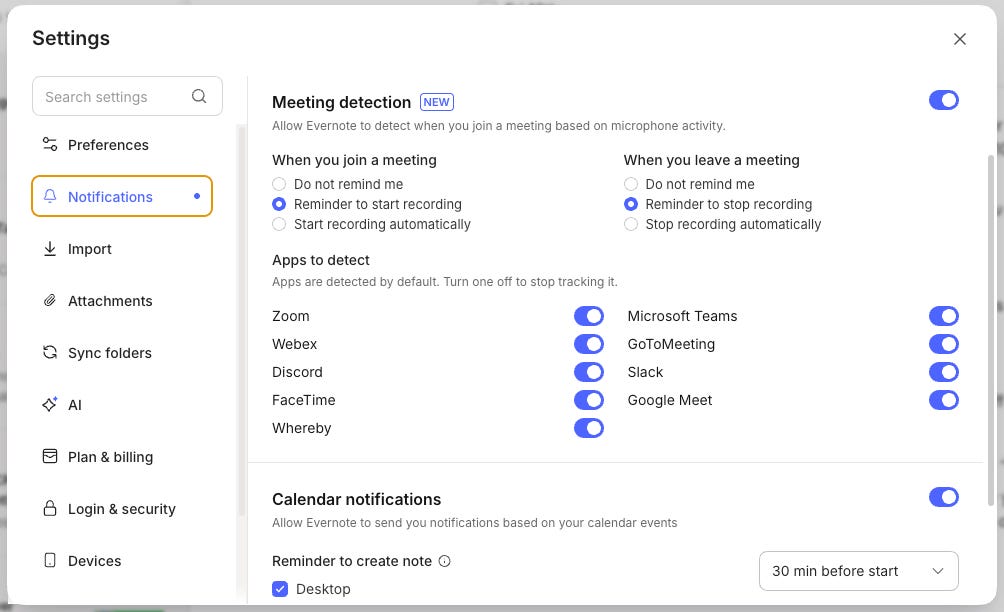
You can select different behaviour for when you join and leave a meeting:
Do not remind me - pretty much does nothing
A reminder to start/stop a recording will give you an operating system notification.
Start/stop recording automatically will just kick off a recording in a new note
You choose how you want Evernote to behave.
After you’ve sorted that out, you can choose the apps you want to detect.
Switch off the ones you don’t use. This is what mine looks like.
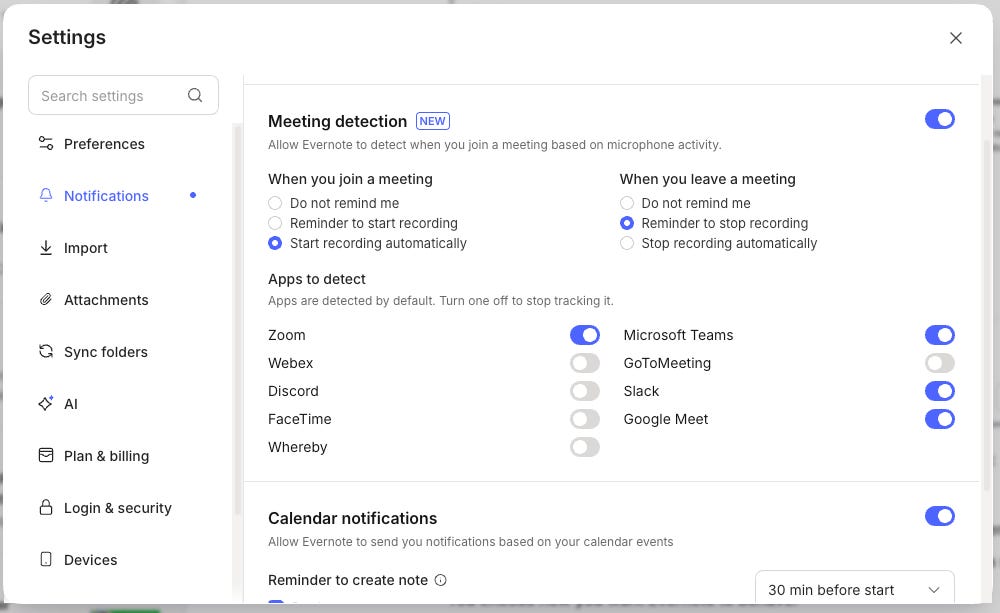
I just use Zoom, Teams, Meet and Slack, so all the others are off.
I want recordings to start automatically, but I just want to be reminded to stop the recording, as I sometimes add some extra commentary after the meeting has finished.
So, how does this work?
First thing, Evernote is not listening to you all the time through your microphone.
The detection works by detecting if a specific app is using your microphone. It doesn’t sit there listening all the time.
For example, if you start a Teams meeting, then Teams grabs control of your microphone and Evernote detects this happening and fires off a reminder or starts the recording.
If you don’t want any detection happening, then just switch it off.
What do you think? Will you be setting this up? Do you forget to start recording? Let me know in the comments.
Add emoji reactions to your text
This is a cool little collaboration feature that I quite like.
You can highlight some text and choose a reaction that sits at the far right of the window.
It looks a bit like this.

To set the reaction, just highlight some text, words, sentences or paragraphs and in the floating format bar you’ll see an emoji icon.

When you click it, you’ll get the usual emoji selector and you can choose your reaction.
If you share the note with other people, then they’ll be able to add their reaction and the number will go up.
To remove a reaction, just click the emoji yourself and it goes away.
I quite like this. I use emoji reactions a lot on Slack and in the Taming the Trunk chat, so I’m happy to see them arrive in Evernote.
When you combine this with the normal comments feature in Evernote, we’ve got a nice little collaboration thing going on.
One improvement I would like to see is reactions coming to the external shared lite editor. Right now this is just available in the apps and on the logged-in web version, not the public share links.
Will you use reactions? Let me know in the comments.
And finally...
The official October recap video is out... always worth a watch.
And finally...finally...
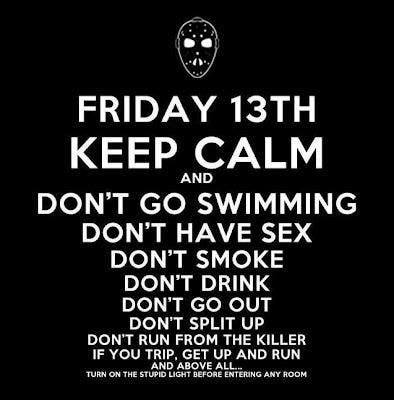
Be careful out there today 😬
Have a great weekend
All the best
Jon