


A huge thank you to Ole and Bill who became paid subscribers over the last week and many thanks also to those who bought me a coffee. Taming the Trunk is 100% reader supported, no ads or commission links and your support is really appreciated.
Newsletter housekeeping: The latest version for PC & Mac is 11.19.4. You can grab it from the download page. Latest mobile version is 11.17.3.
I had a message from Dave, one of Taming the Trunk’s paid subscribers the other day with a cool problem.
He wanted, like many others, the floating table of contents feature on mobile so it makes it a lot easier to scroll through long notes. I’d love this as well.
Right now, the only option is to use a fixed table of contents, but that means on the desktop or web, a fixed TOC is showing when the floating TOC works just fine. It’s duplication and taking up room.
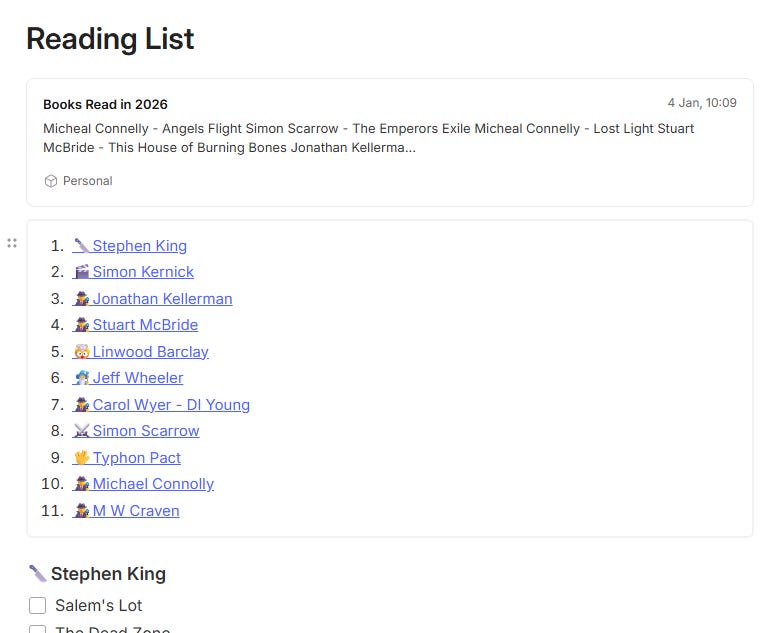
Here’s the TOC on my reading list.
On desktop and the web, I get the cool floating table of contents that looks like this.
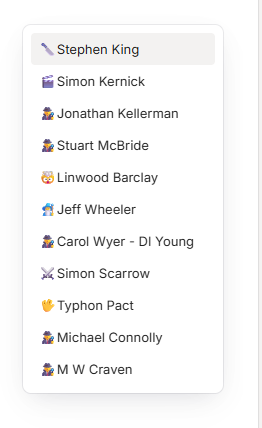
On my phone, I need to keep the text TOC so I can get to the different authors quickly, but it’s a pain looking at this on my Mac.
The perfect solution would be for floating TOC to work on phones, but until that happens, you can hide/show the text TOC using a toggle.
When the toggle is open it looks like this.
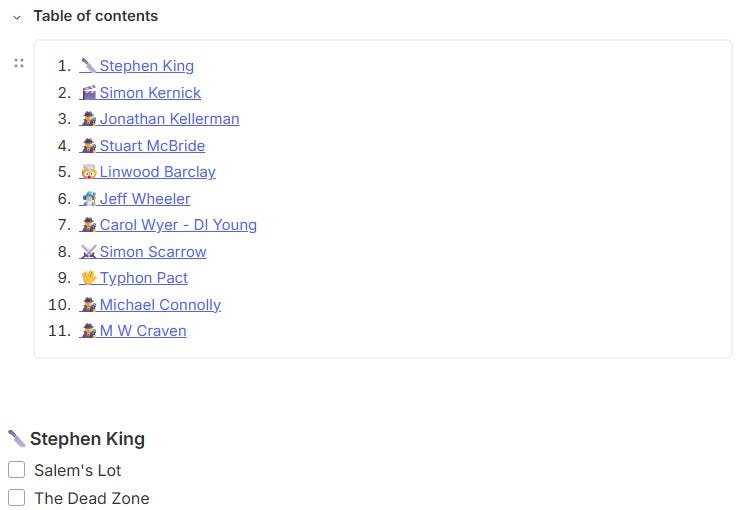
When the toggle is closed, it looks like this.

The reason for using a toggle instead of a header is to stop the table of contents heading appearing in the main TOC and messing it up.
Not perfect, but an interesting use for the new toggle feature.
Let me know in the comments how you’re getting on with toggles and TOCs.
Two really useful Evernote AI prompts
The first is my ‘What’s happening today” prompt.
I run this at the start of each day.
Give me a list of calendar events for today.
Then give me a list of uncompleted tasks for today and overdue tasks.
Then give me any notes in my .Inbox notebook that are tagged Flow.
Then pick a random way to tell me to have a nice day.
This has been working well and it gives me a summary of my day so I know what’s going on.
The response I got for today looks like this.
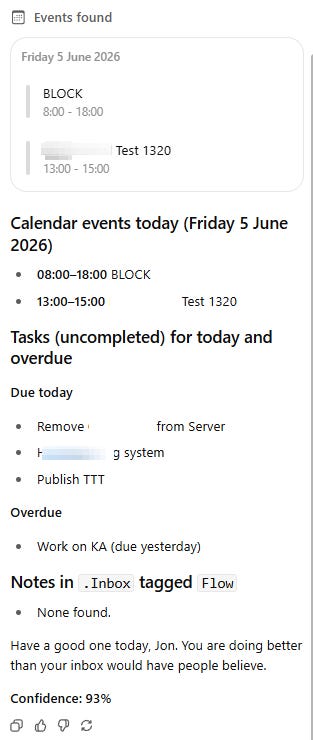
I’ve found this very useful, especially right at the start of the day.
A quick note on the tag Flow. These are notes that have been emailed in from my invoice software, things like recurring invoices that need checking before sending and any payments made.
The second little prompt I’ve been using has saved me time, but there is a small bug with it. I’ve mentioned the bug to the Evernote team and hopefully it will get fixed.
When I first boot up Evernote each morning I usually have a bunch of overdue tasks. Things I didn’t get round to the day before. I’ve then, very tediously, changed the due date on all these overdue tasks to Today. Boring!
Here’s the prompt.
Change the due date of all my overdue tasks to Today.
This is the response I got.
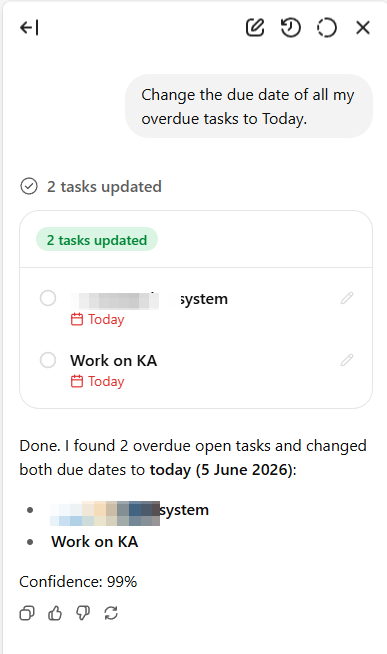
I’m pretty sure you could also do this at the end of each day and tell the AI to change the due date of all tasks with the due date of Today to Tomorrow.
Important! I would make sure you’ve not got any recurring tasks overdue as the dates could get messed up. Maybe try asking the AI to ignore recurring tasks. All mine get completed each day as they are the most important tasks for me.
Now the little bug I mentioned. When the due date is updated, it shows in the task kingdom as X hours ago and still appears in the overdue section.

The date is correct, but it shows in the UI wrong. The solution is to open the task and then click save. A bit of a pain but still quicker than changing all the task dates manually.
I’ve mentioned this bug and hopefully it will get fixed.
One other thing to mention. These types of prompts are going to become MUCH easier to run very soon when they launch a new feature I’m testing. Can’t say anything else right now🤐
Let me know what you think in the comments? Have you got any variations of these types of prompts?
I’ve been categorising the Taming the Trunk articles
I’ve been meaning to do this for a while as there are now over 300 articles and none of them are in actual categories. It was a bit tedious, but I’ve finished the last 12 months. I’ll work on others over the weekend.
So, on the home page of Taming the Trunk, there’s a new [START] page that points new and existing readers to the achieved content a bit quicker and easier.
The categories I’ve picked are:
I wanted to keep the categories to a bare minimum, so there’s a bit of a crossover as some articles are talking about many things, but hopefully this will help folks find articles and videos about the areas they are interested in.
Let me know what you think.
And finally...
The paid subscriber chat thread for June is open and you can get to it using the link below. Feel free to ask questions, post screens and have a moan.
Don’t forget all free subscribers also get access to the Taming the Trunk chat, so feel free to ask questions.
That’s it
Have a great weekend
All the best
Jon
That was a nifty solution; hiding the ToC in a toggle!
While the floating ToC navigation is useful when navigating within a note (e.g. when reading further down in the note and needing to jump to a different section), I prefer having the ToC at the start of the note when opening a note.
It would be easier if the toggle were a standard feature of the ToC block, though.