


This week on Ask Me Anything about Evernote we have a question from Martin.
If you have a question you’d love an answer to then leave it in the comments below and I’ll add it to the list.
Martin asks
How do you keep Evernote notes actionable & visible so I don’t forget tasks? I keep notes for meetings and projects and struggle to get the actionable tasks into some form of list that I remember.
Totally understand this as I struggled with it myself but eventually came up with a system that works for me.
The first thing I would say is, keep it simple. Don’t complicate things in an unnecessary way.
My workflow for meetings right now is to record the meeting in Evernote, transcribe and then summarise. I’m probably still making a few notes as the meeting goes along.
Right after the meeting, I create some check boxes in the meeting note for what I have to do, file the note where I want it to be and create one single task that says something like.
SW Project-Name
This task has a due date for today and it’s in the note which contains the information I need to complete the task.
When I look at all my tasks in Evernote I see this task, navigate to the note and then do the job.
One important thing to mention about this is that I don’t create separate Evernote tasks for everything I need to do with a project or job, the step by step list is usually checkboxes in the note.
The task in the main Evernote task window is just there to remind me to work on that project. If the project is over many days, I then move it to the next day and so on.
This little system works well for me. It means I don’t get task overload when I look at my task window as all the step by step tasks are in the note.
There are some other ways you can make notes more noticeable.
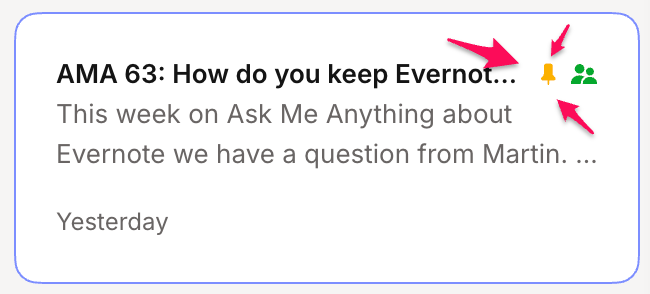
Pinnng a note to the top of a notebook can help. You can set multiple notes to sit right at the top.
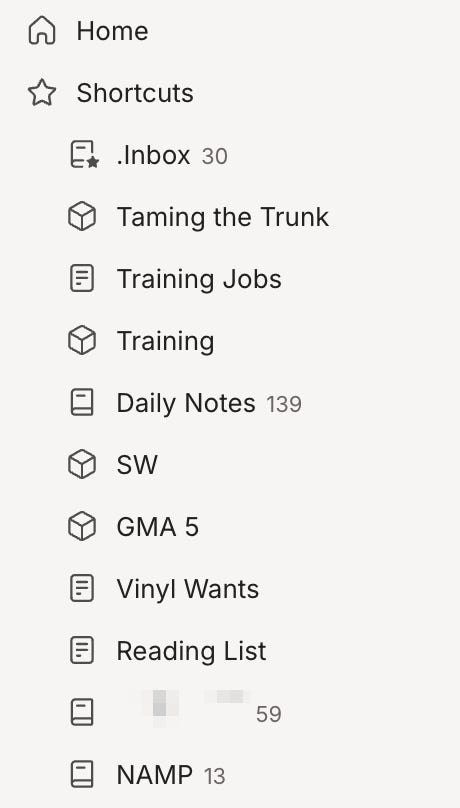
Setting a note as a shortcut may work. You can see shortcuts in the sidebar and move them around based on priority.
You could also create a tag something like ‘In Progress’ and when you click it see all the notes that have actionable items in them.
One of the reasons I find Evernote so useful is that its very flexible, you can create workflows and systems that fit the way your brain works.
One final thing I’ll mention is habit.
Whatever app or system you use, you need to create a habit for looking at it and seeing what needs to be done.
It can take time to create habits, so don’t give up if your system isn’t working right away, just tweak things and give yourself time.
I hope this helps.
I’d love to hear what others think and what systems you use for keeping actionable notes visible so you don’t forget to do stuff. Leave me a comment below.
Have a great rest of the week
All the best
Jon
I use Evernote Tasks to help the formation of a daily habit. A simple daily recurring Task is all it takes. I already have an important habit of viewing my Evernote Task list at least every morning with the “Today” sort selected.
If a habit needs to be tracked I will create this recurring task where I make a reverse chronological bullet list of little daily notes as a kind of log. I have quite a few of these types of habits/notes so I tag them all “Log/Stack”.
If a habit daily Task does not require a daily note then I include “ - No Log” in the wording of the task, and simply create the task in the default task note.