

A huge thank you to Vanessa who became a paid subscriber over the last week and many thanks also to those who bought me a coffee. Taming the Trunk is 100% reader supported, no ads or commission links and your support is really appreciated.
Newsletter housekeeping: The latest version for PC & Mac is 11.32.5. You can grab it from the download page. Latest mobile version is 11.32.4.
A few weeks ago I published a short video about cleaning up web clips using the Evernote AI Assistant, it was popular so I thought I’d expand on this and take it to the next level.
Web clips look messy and it can be difficult to find the information you need. Colours don’t always transfer over correctly and then there’s all the crud like social media icons, calls to action and other website rubbish.
The video used a really simple prompt but I’ve now taken this to the next level.
The idea of this new prompt is to create:
A brief summary
A list of main highlights
The important information from the web clip without the crud
Add extra context and further reading at the bottom
Here’s the prompt. Feel free to edit it and save it to your AI Prompt library.
Clean up and restructure the web-clipped content into a clear, useful reference note.

Preserve all genuinely important information from the original clip, but remove clutter such as navigation menus, cookie notices, advertisements, repeated text, unrelated links, social-sharing buttons, newsletter sign-up forms and broken formatting.

Use the following structure:

# [Create a clear, descriptive title]

Original source: [Include the original webpage URL, if available]
Author or publisher: [Include if available]
Published or updated: [Include if available]

## Summary

Write a concise summary of the clipped page in one or two short paragraphs. Explain what the page is about, why it matters and its main conclusion or purpose.

## Main highlights

- Provide the most important points as concise bullet points.
- Include key findings, recommendations, warnings, dates, figures or quotations where relevant.
- Prioritise information that will be useful when returning to this note later.
- Do not repeat points unnecessarily.

## Important content

Reorganise the valuable content from the original webpage into logical sections with descriptive headings.

Make the text easier to scan while retaining essential explanations, instructions, examples, evidence and context. Shorten repetitive passages, but do not oversimplify material that is necessary to understand the topic.

Use numbered steps for processes and bullet points for lists. Preserve useful links and clearly attribute any direct quotations. If part of the clip is incomplete, unclear or appears to be missing, identify this instead of guessing.

## Further context

Briefly explain the wider topic covered by the web clip. Add helpful background, related concepts or practical considerations that improve understanding without overwhelming the original material.

Clearly distinguish this additional context from information contained in the original clip. Do not invent facts.

## Further reading

Suggest three to five trustworthy resources for learning more about the topic.

For each resource, provide:

- The title
- The publisher or organisation
- A direct working URL
- One sentence explaining why it is useful

Prefer authoritative, original and up-to-date sources. Verify the links through web research if browsing is available. If browsing is unavailable, say that the suggested links have not been checked rather than presenting them as verified.

## Processing rules

- Use British English.
- Use clear, concise language.
- User Evernote call outs, code blocks, quotes and tables if needed. Don't use them randomly for the sake of it.
- Retain important nuance and context.
- Do not introduce unsupported claims.
- Do not silently correct factual inconsistencies. Flag them.
- Do not fabricate missing details, quotations, dates, authors or links.
- If the source URL is missing, state: “Original source URL not available.”
- Return only the finished, cleaned note without explaining the editing process.
Here’s a revised version of this prompt for recipes.
I clip a lot of pages from food websites and they always end up a mess and you usually have to read through a life story before getting to the actual recipe.
Clean up and restructure the web-clipped recipe into a clear, practical recipe note.

Preserve all useful information from the original clip, but remove clutter such as personal stories unrelated to preparing the dish, navigation menus, cookie notices, advertisements, repeated text, unrelated links, social-sharing buttons, newsletter forms and broken formatting.

Use the following structure:

# [Create a clear recipe title]

Original source: [Include the original webpage URL, if available]
Author or publisher: [Include if available]
Cuisine: [Include if stated or clearly identifiable]
Course: [Include if stated or clearly identifiable]
Servings or yield: [Include if available]
Preparation time: [Include if available]
Cooking time: [Include if available]
Total time: [Include if available]

## Recipe summary

Write a short paragraph describing the dish, its main flavours, texture and cooking method. Mention anything that makes the recipe particularly useful or distinctive.

## Main highlights

- Summarise the recipe’s most useful features.
- Include important dietary information only when stated or reliably supported by the ingredients.
- Mention notable cooking techniques, preparation requirements or specialist equipment.
- Highlight any advance preparation, resting, chilling or marinating time.
- Identify important warnings or common mistakes mentioned in the original recipe.
- Do not repeat information unnecessarily.

## Ingredients

Organise all ingredients into a clear list.

- Preserve the original quantities, measurements and ingredient details.
- Use British terminology, but do not convert measurements unless instructed.
- Group ingredients under descriptive subheadings when the recipe has separate components.
- Keep ingredients in the order in which they are used.
- Include preparation details such as chopped, softened, divided or at room temperature.
- Clearly identify ingredients that are divided and used at different stages.
- Do not invent missing quantities or ingredients.
- If a quantity is unclear or missing, label it as unclear rather than guessing.

## Equipment

List any essential or specialist equipment required. Omit ordinary kitchen equipment unless it is important to the outcome.

Include tin, tray or dish dimensions when provided.

## Method

Rewrite the instructions as clear, numbered steps in the correct order.

Each step should:

- State the action required.
- Include the relevant ingredient quantities where this improves usability.
- Preserve important temperatures, timings, visual cues and texture indicators.
- Make it clear when ingredients are divided or reserved for later.
- Include resting, cooling, chilling or marinating periods.
- Retain useful safety instructions.
- Avoid unnecessary storytelling or repetition.

Give oven temperatures exactly as stated. Include Celsius, Fahrenheit and gas mark values only when they appear in the original recipe. Do not invent conversions.

## How to tell when it is ready

Summarise the visual, textural or temperature cues that indicate the dish is properly cooked or prepared.

Only include cues supported by the original recipe or reliable food-safety guidance. Clearly label anything added from an external source.

## Serving suggestions

Include accompaniments, garnishes, presentation ideas or serving instructions from the original recipe.

Clearly distinguish any additional suggestions from the source material.

## Variations and substitutions

List variations, ingredient substitutions or dietary adaptations mentioned in the original recipe.

You may suggest a small number of additional practical substitutions, but clearly label them as suggestions. Explain briefly when a substitution may affect flavour, texture, cooking time or the final result.

Do not claim that a recipe is suitable for a particular allergy or dietary requirement unless this can be confirmed from every ingredient used.

## Storage and reheating

Include any instructions for refrigeration, freezing, make-ahead preparation and reheating that appear in the original recipe.

If adding external food-safety guidance, clearly identify it as additional information and provide a reliable source URL. Do not guess storage periods.

## Recipe notes

Preserve useful tips, troubleshooting advice, ingredient explanations and preparation notes from the original page.

Remove promotional material, repetition and information that does not help someone make the recipe.

## About the dish

Briefly explain the dish’s culinary background, traditional preparation or key technique where relevant.

Clearly distinguish this additional context from information contained in the original clip. Do not invent cultural or historical claims.

## Further reading

Suggest up to three trustworthy resources that would help the reader understand a key ingredient, technique or food-safety consideration connected to the recipe.

For each resource, provide:

- The title
- The publisher or organisation
- A direct working URL
- One sentence explaining why it is useful

Prefer authoritative, original and up-to-date sources. Verify links through web research if browsing is available. If browsing is unavailable, state that the suggested links have not been checked.

## Processing rules

- Use British English.
- Use clear, concise language.
- Retain all information needed to make the recipe successfully.
- Keep source material separate from added suggestions or research.
- Use Evernote call outs and tables if needed. Don't randomly or overuse them.
- Do not introduce unsupported claims.
- Do not silently correct conflicting quantities, temperatures or timings. Flag them clearly.
- Do not fabricate missing ingredients, measurements, timings, equipment or instructions.
- Do not calculate nutritional information unless specifically instructed.
- If nutritional information appears in the original clip, preserve it and identify it as supplied by the original source.
- If the recipe appears incomplete, explain what is missing.
- If the source URL is missing, state: “Original source URL not available.”
- Return only the finished, cleaned recipe note without explaining the editing process.
Feel free to edit this to how you want your recipe to appear and save the prompt to your AI Prompt library.
If the AI starts doing things that irritate you, edit the prompt and tell it off!
This is what a recipe ends up looking like using this prompt.
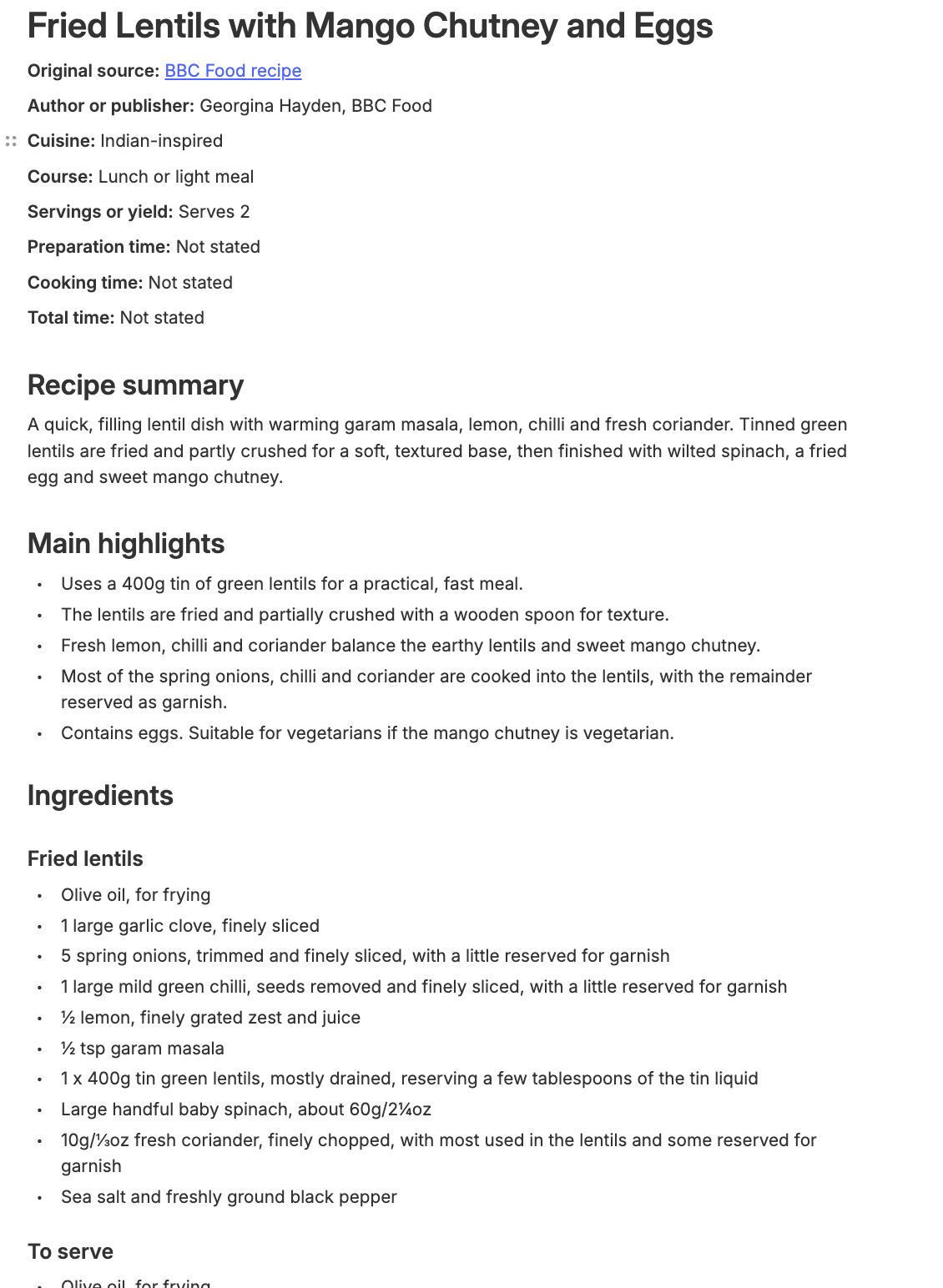
These prompts have saved me so much time processing messy web clips and when the prompt is in the AI Prompt library, the cleaning up is done in a couple of clicks.
Grab the prompts and let me know how you get in with them in the comments.
Evernote table improvements
The Evernote team have been working on tables and you’ll find some improvements in the latest version.
If you use tables to display images, resizing them and moving them around is much easier. It’s also easier to resize columns.
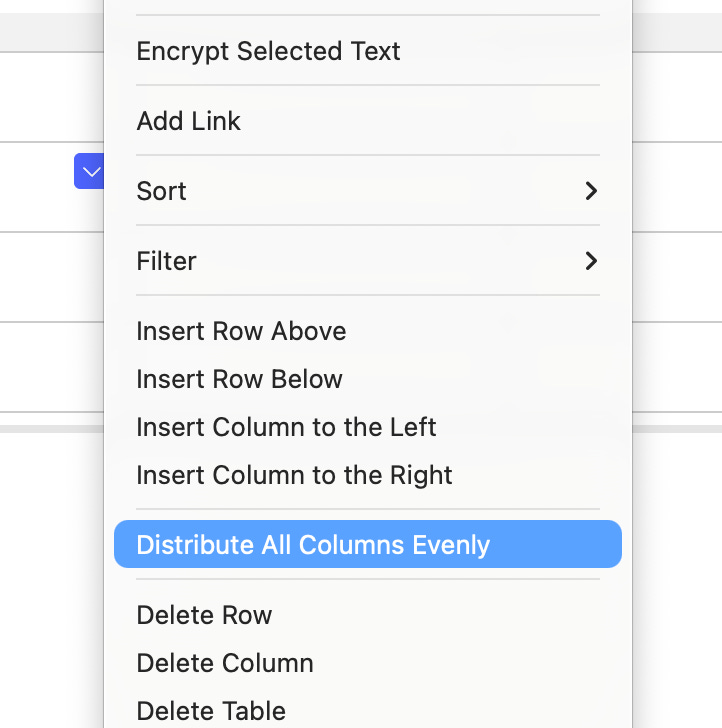
Now, this may not be new, but I’ve not seen it before. We can distribute columns evenly.
Right click anywhere in the table and you can see the option in the menu.
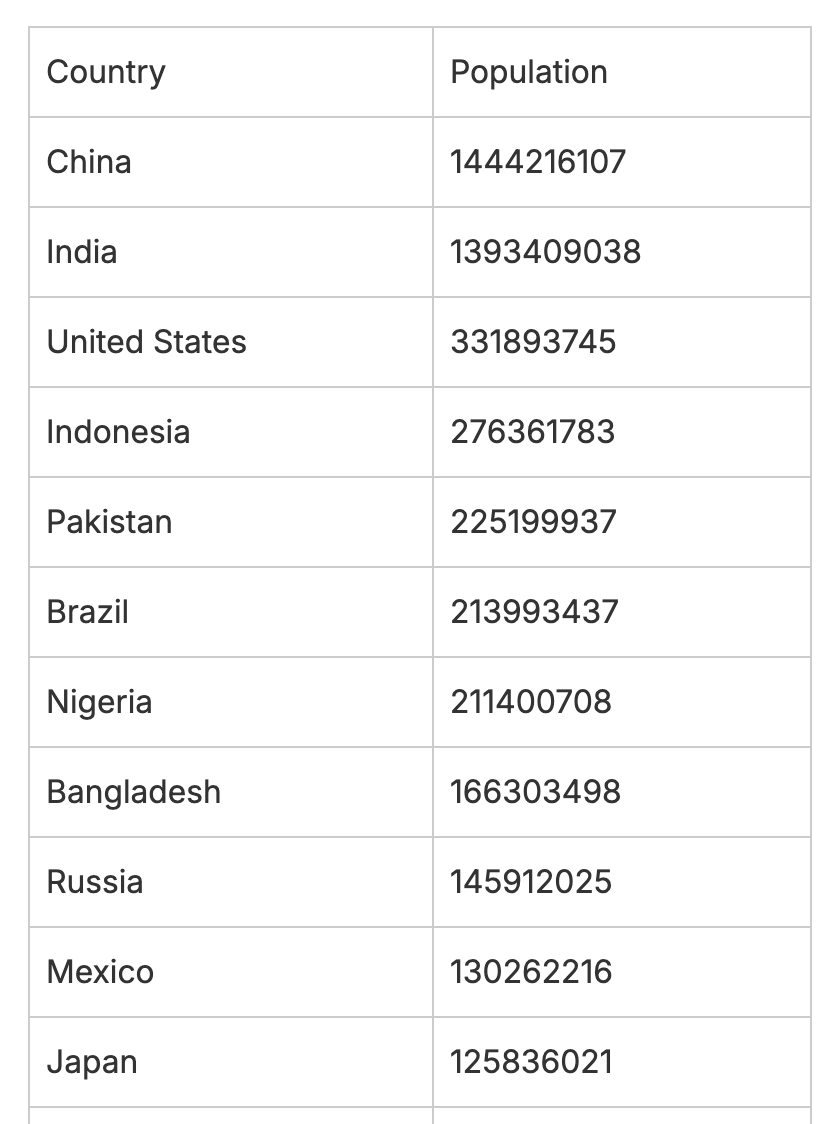
Another improvement is better handling of pasted information from Excel spreadsheets and Google sheets.
Copy some cells from a spreadsheet and paste them into your note and they look a bit like this.
It’s nice to see tables being worked on.
In the future, I would love to see some simple table sorting and maybe even some basic formulas like being able to add up columns.
Let me know if you noticed anything different. Also let me know what table improvements you’d like to see.
Uploaded images are auto captioned
Image captions arrived a few weeks ago and in the latest version, when you upload an image it gets auto-captioned.
It doesn’t display the caption by default. You still need to click the caption button, but the words in the caption are available in normal and semantic search
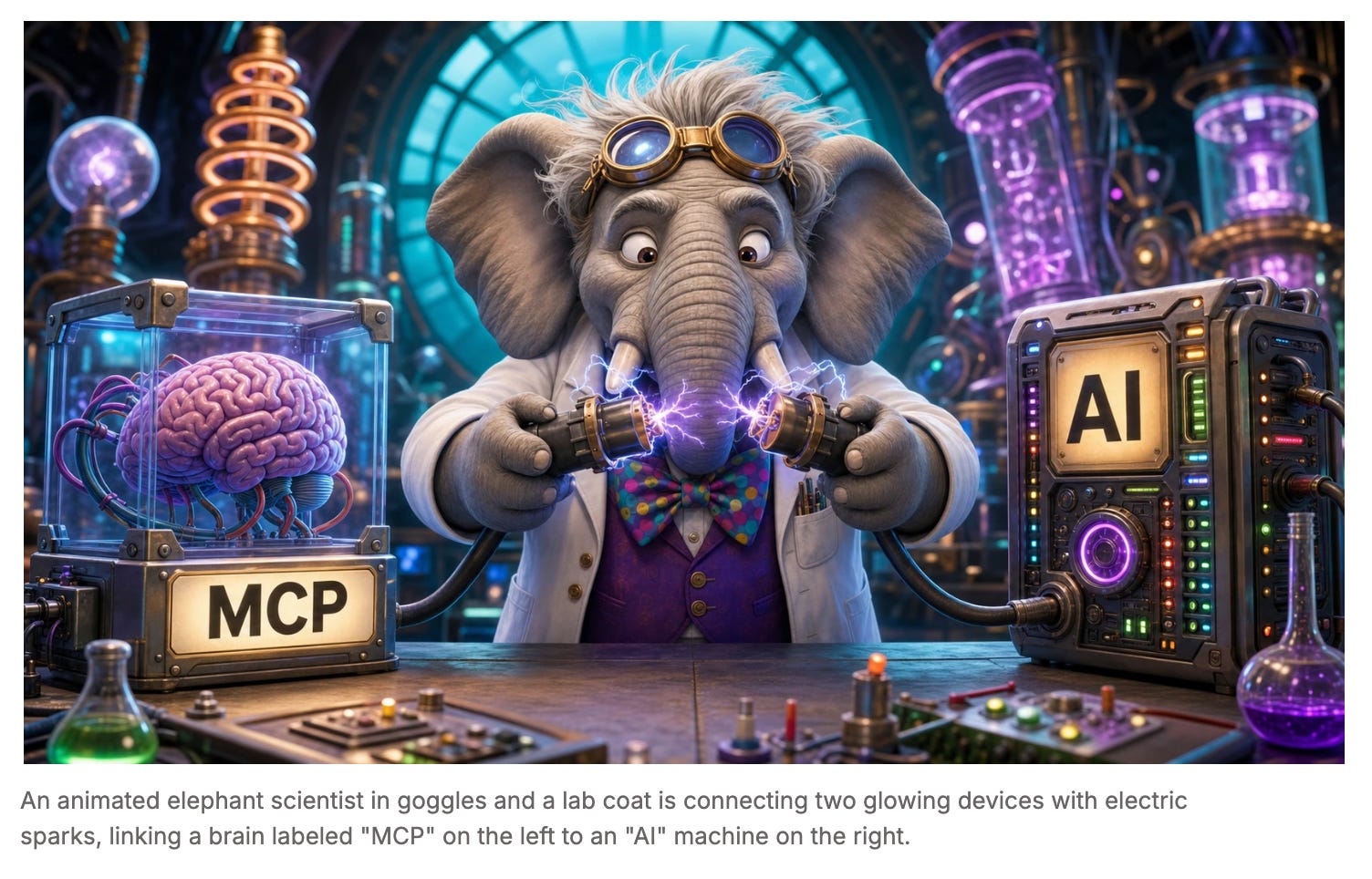
I quite like this. Not really for the caption but for the description of the image that’s searchable. It makes the 2nd brain concept of Evernote a little stronger.
If you don’t like the captions, you can turn them off in Settings -> Preferences -> AI -> AI Image Captioning.
Let me know what you think in the comments.
Have a great weekend
All the best
Jon
I just used the recipe clean up prompt (of course after removing all the "use British" this and that 😉)
Love it! This will same me so much time, as I clip new recipes almost every day.
Good column. Thanks!
Where do you store your AI prompts? In separate notes in a note stack? If so, does AI read them automatically or do you have to copy and paste a particular prompt you want executed each time you run AI?