


A huge thank you to all paid subscribers and many thanks also to those who bought me a coffee. Taming the Trunk is 100% reader supported, no ads or commission links and your support is really appreciated.
Newsletter housekeeping: The latest version for PC & Mac is 11.10.1. You can grab it from the download page. Latest mobile version is 11.10.1.
A couple of new things to report on today and the first one is a little feature that folks have wanted for years.
Grab yourself the latest version of the Mac and PC app, open up a note with some headings in it and you may see some little lines on the right side of the screen.

Yes, we now have a scrollable and clickable, floating table of contents.
Hover your mouse over the lines and a pop up appears with a list of all your note headings.
This is what it looks like for my reading list.
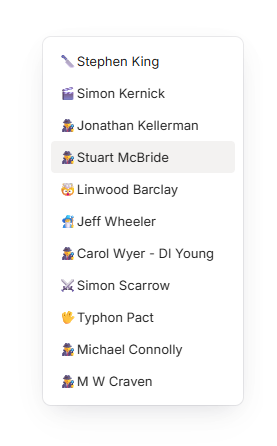
As you scroll down the page and reach each heading it changes colour in the pop up.
When you click on any of the heading links in the pop up you’ll jump straight to the heading in the note.
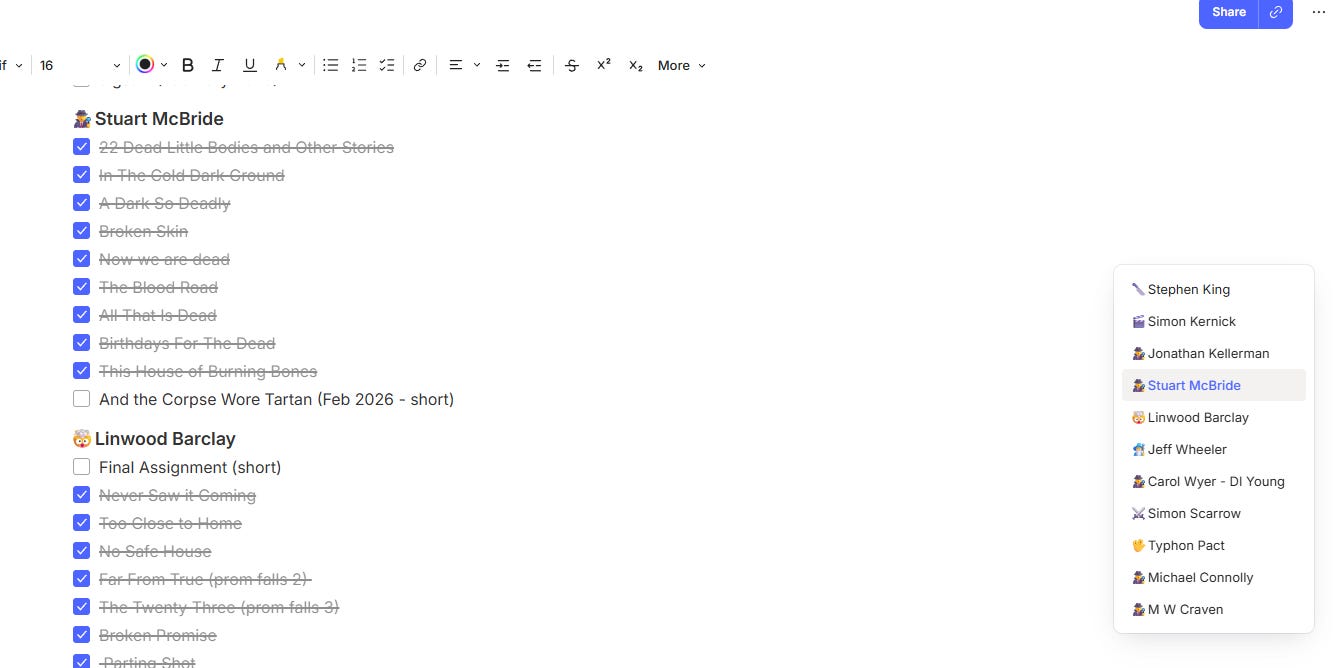
This is going to make navigating long notes so much easier.
No matter where you are in a note you can instantly move somewhere else.
I’ve found this little addition very useful and I’ve already started adding more headings to some of my long notes just to improve navigation. It’s almost built into my muscle memory now.
If you would prefer the table of contents on the left of the page or disable it then we have a new setting.
Head to Settings -> Preferences -> Notes -> Floating table of contents.
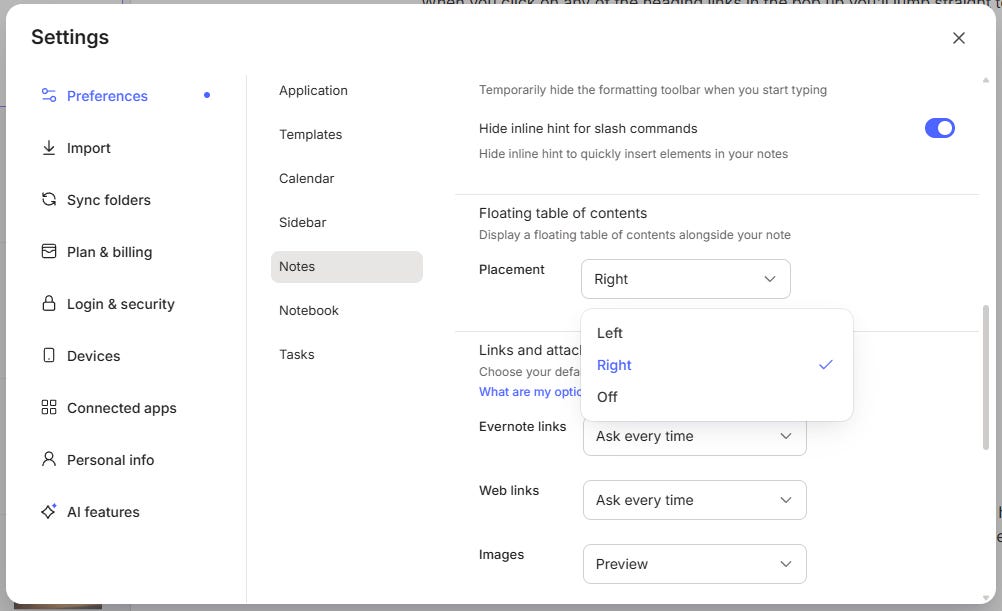
Choose the option you want and away you go.
If you’re on the latest version of Evernote and can’t see this then try a log out and back in again or hang on another few days and you should get it.
I like this. Let me know what you think in the comments.
Add tasks using the AI Assistant
There’s also been an improvement to the AI Assistant. We can now create tasks.
Here’s the conversation I just had when testing.
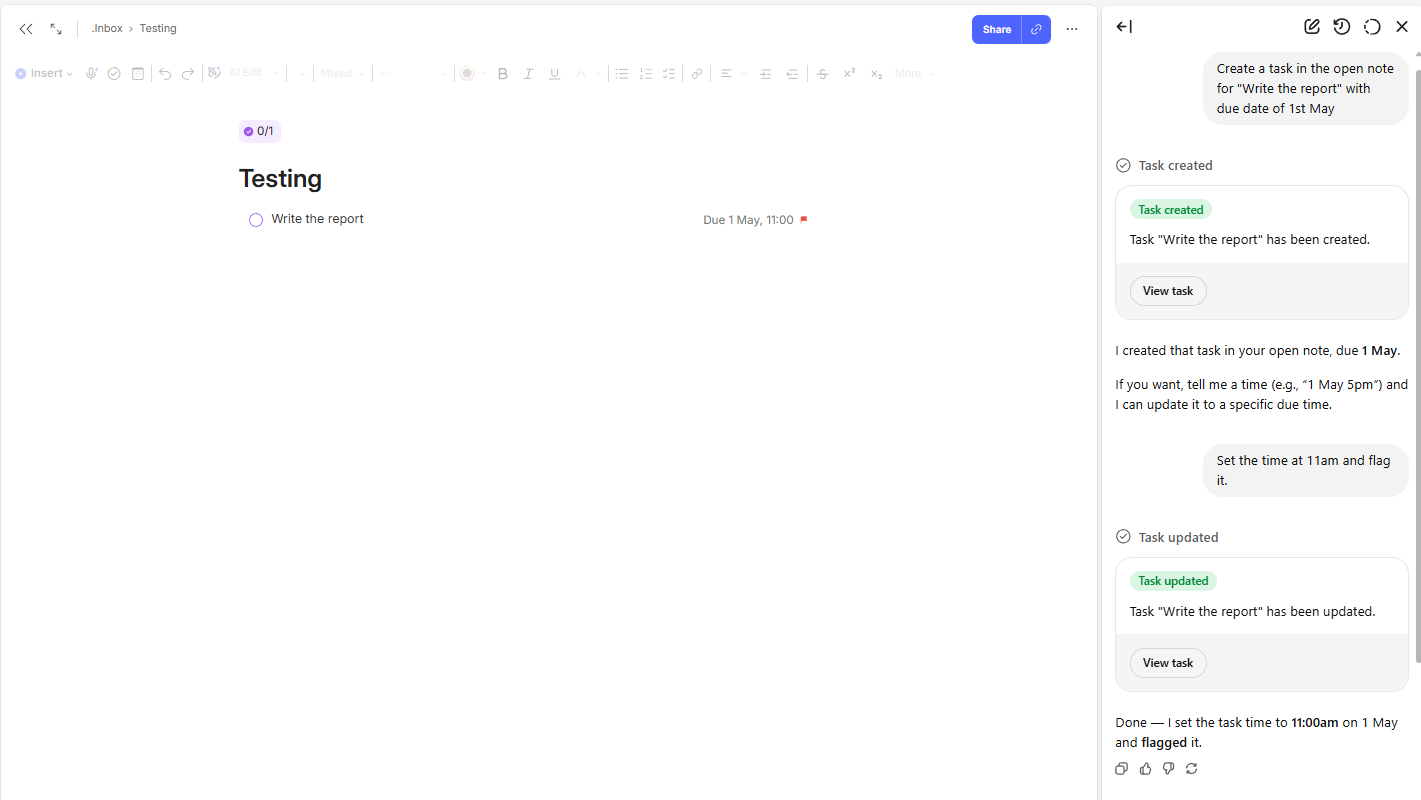
I first asked the AIA to “Create a task in the open note for “Write the report” with due date of 1st May“.
I then ask it to “Set the time at 11am and flag it.“.
Everything worked fine.
I’ve heard a few folk wanting this. I don’t think I’ll be using it myself a lot as I find it just as quick to create the task manually and with the introduction of tabbed notes last week I can have multiple task notes open.
Pretty sure a lot of folk will be happy. What do you think? Will you use the AIA to create tasks?
Paid subscriber private chat for April
I’ve just added April’s private chat thread for paid subscribers. Access it directly here.
Don’t panic if you’re a free subscriber. You can still access the normal Taming the Trunk chat feature here. Anyone can post.
The chat is somewhere you can ask questions about using Evernote or organisation in general.
All subscribers are welcome.
And finally...
The official Evernote March update video is out in the wild. All the new things they’ve added during last month. Always worth a watch.
That’s it.
Have a great weekend
All the best
Jon
Thanks for explaining the floating ToC. I might not have noticed the horizontal lines on the right ;) Great enhancement.
Hi Jon,
Great content — thanks.
I have an issue: when I open search with Ctrl+K, the cursor no longer focuses in the search box. I have to click it manually before I can start typing. This began after the top tabs were implemented. Do you know if this will be fixed or if there’s a workaround?