


A huge thank you to Adrian who became a paid subscriber over the last week and many thanks also to those who bought me a coffee. Taming the Trunk is 100% reader supported, no ads or commission links and your support is really appreciated.
Newsletter housekeeping: The latest version for PC & Mac is 10.166.2 (not 11 yet!). You can grab it from the download page. Latest mobile version is 10.165.1.
We have a couple of new things to talk about this week and a quick AI Assistant demo showing how it can work with selected areas of text, so lets get on with it.
A new Mention View for links
Last week we talked about the refreshed ‘Preview’ look for links and this week we have a brand new view called ‘Mention’ to talk about.
It works for internal note links and external web links and gives you a simple one line link with a hover that offers more information. This works on the desktop apps right now.
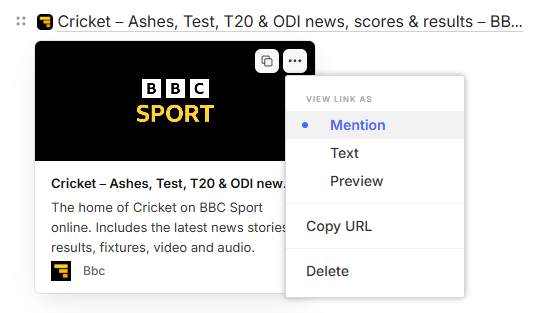
When you hover over any link, a little pop up appears with a 3-dot menu. There’s now an option called ‘Mention’.
This is what ‘Mention’ looks like for a note link.

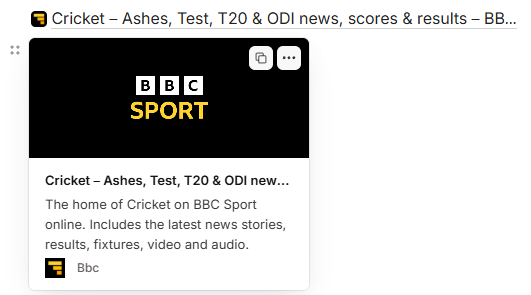
This is what it looks like for an external web link. Notice the icon at the beginning.

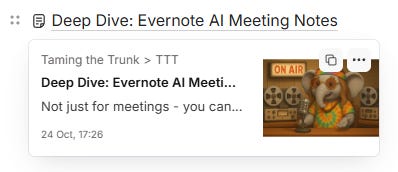
When you hover over these links, you get more of a preview appear.
This is for note links.
This is for external web links.
You get total control on how a link looks and can change the view anytime by clicking the 3-dot menu.
You can also set ‘Mention’ as the default view for note links and external web links in the settings.
Head to Settings -> Preferences -> Notes -> Links and attachments.
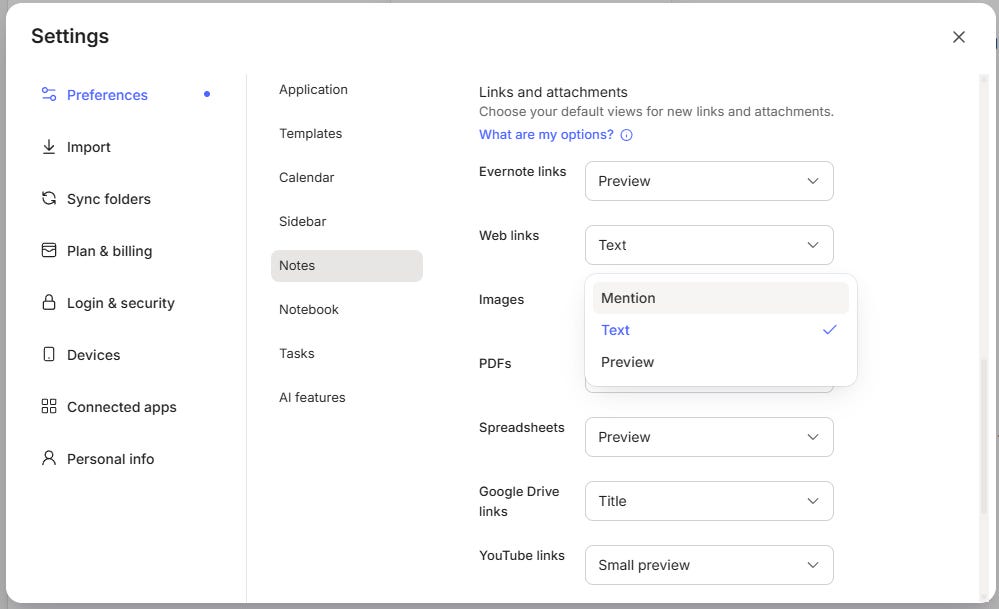
I like this new view but I’m probably going to keep my defaults as ‘Text’ for my external links and ‘Preview’ for my note links but I’m already changing individual links in notes to ‘Mention’ when I want to.
Let me know what you think of this new view in the comments.
Evernote can do Maths
Better than me!
When I was 15, I had a part time job in a fruit and veg shop, there was no till or calculator and half the folk asked for things in pounds and ounces and the other half in grammes and kilos! My mental arithmetic was very good back then!
Not so much now which is why I’m starting to slowly find maths in Evernote quite useful. I’ve used it a few times.
Just type some maths, add and equals sign, hit enter and you get the answer.
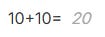
The extent of maths in Evernote is pretty basic but it can do brackets.
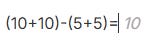
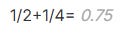
The usual symbols work so use +, -, * and /.
You can also do powers.

This works.
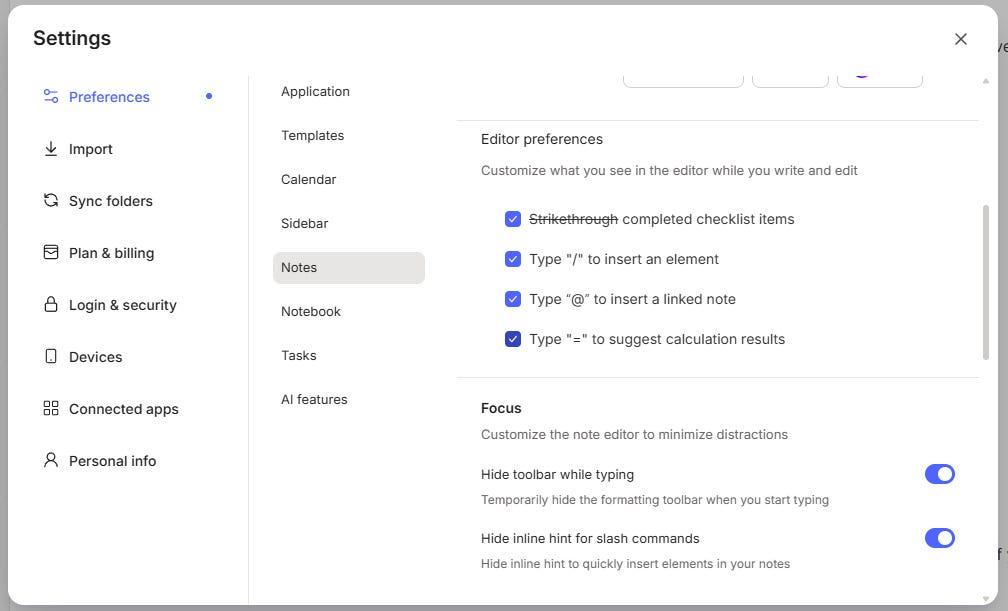
There is a setting to force maths completion when you use an equals sign. You’ll find it in Settings -> Preferences -> Notes -> Editor Preferences.
This is all the maths I’ve been able to find that works. Let me know in the comments if you’ll be doing maths in Evernote. Useful or not?
Working with selected areas of text using the Evernote AI Assistant
I’ve been using the beta of the AI Assistant for a while now and I’m getting used to how it works a little more. In fact I’m not opening up my ChatGPT quite as often and using the assistant as a regular chat bot as well as just interacting with my notes.
One thing I’ve found quite useful is the ability to select areas of text with my mouse and then get the AI Assistant to manipulate that text.
I’m using the AI to reorder lists, translate sections of text and also rewrite sentences every now and then.
Lots of times I write a sentence and think to myself there must be an easier way of saying this, especially when writing reports for clients. The assistant helps.
Here’s a quick video demoing how I’ve recently been working with selected text.
Don’t forget the AI Assistant is out in beta for a few folk on paid plans but will be available to all when version 11 arrives.
That’s it for this week.
Have a great weekend
All the best
Jon
I discovered the math feature when a long decimal mysteriously started appearing after dates within parantheses, e.g. (12/12/25). It took me a while to realize the decimal was the result of treating the date as an arithmetic expression. I had to disable the math function to rid my notes of these fake numbers. I also learned from this that the math is triggered by parentheses, not just equal signs.
The mention links looked interesting initially, but I stay with mostly txt links for now. Text links also offer editing options. Can't really understand why they opted for not including this for mention and preview links.
And oh yes..It would be great if EN could offer the option to have internal links automatically updated after changing a note's title. That could make life more easy.