


A huge thank you to all paid subscribers and many thanks also to those who bought me a coffee. Taming the Trunk is 100% reader supported, no ads or commission links and your support is really appreciated.
Newsletter housekeeping: The latest version for PC & Mac is 10.165.1 (not 11 yet!). You can grab it from the download page. Latest mobile version is 10.165.1.
Before I get going, don’t forget that all free subscribers get access to the Taming the Trunk chat area and paid subscribers have their own private thread, which has just been updated for December.
We’ve been AI crazy over the last few weeks with news of the Evernote AI Assistant, Semantic Search and AI Meeting Notes. This week, I’m going to catch up on a few smaller improvements and some news.
I’ve got nine things on my list.
A new insert menu on mobile
First thing to tell you about is a new, much easier to use insert menu for iPhone and Android.
When you edit a note and hit the Insert menu, a new layout slides up offering all the usual items you can add to a note.
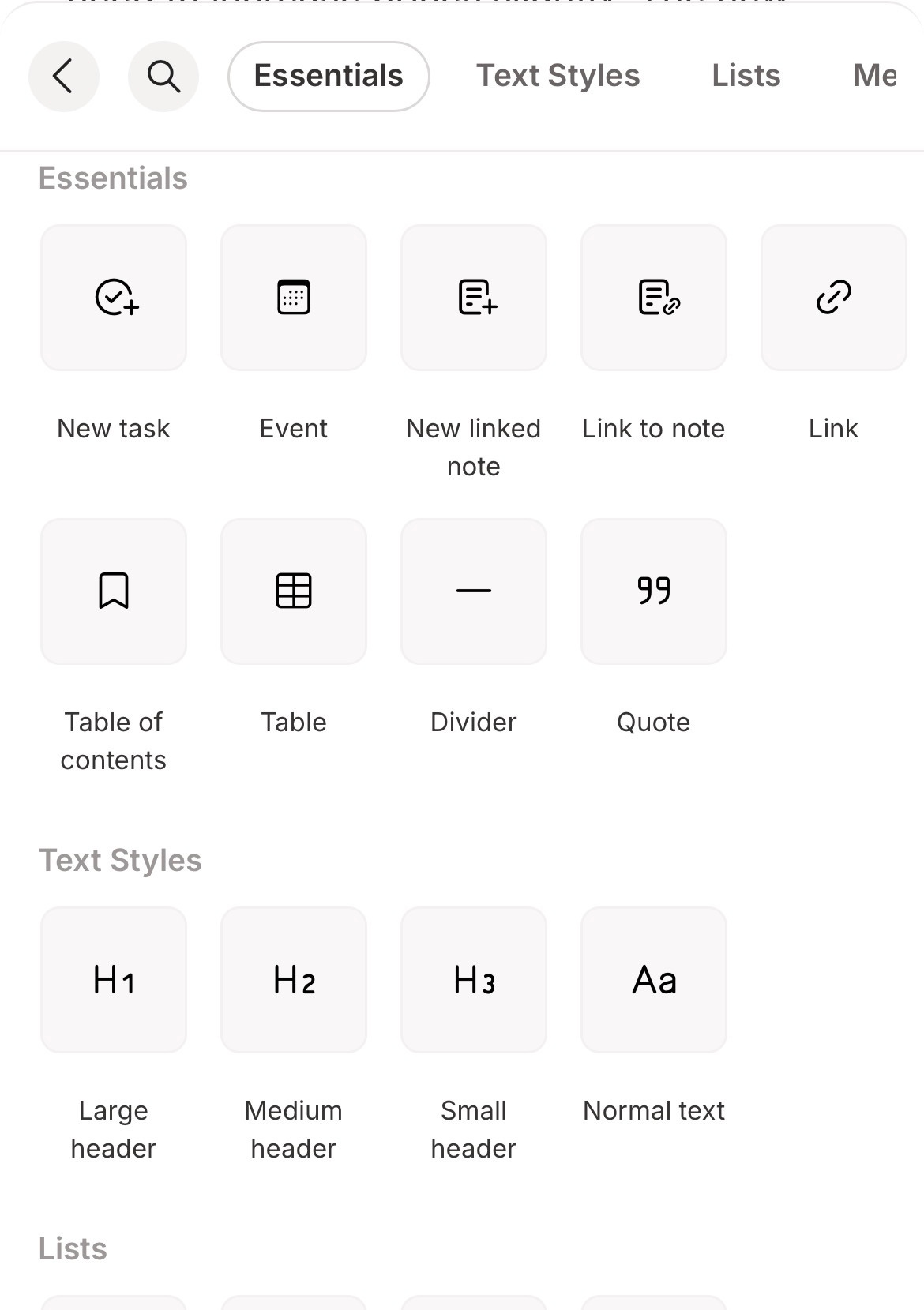
Across the top of this pop up you can hide the list, search for what you want and scroll sideways to jump to the type of item you want to add like text styles, lists, media and more.
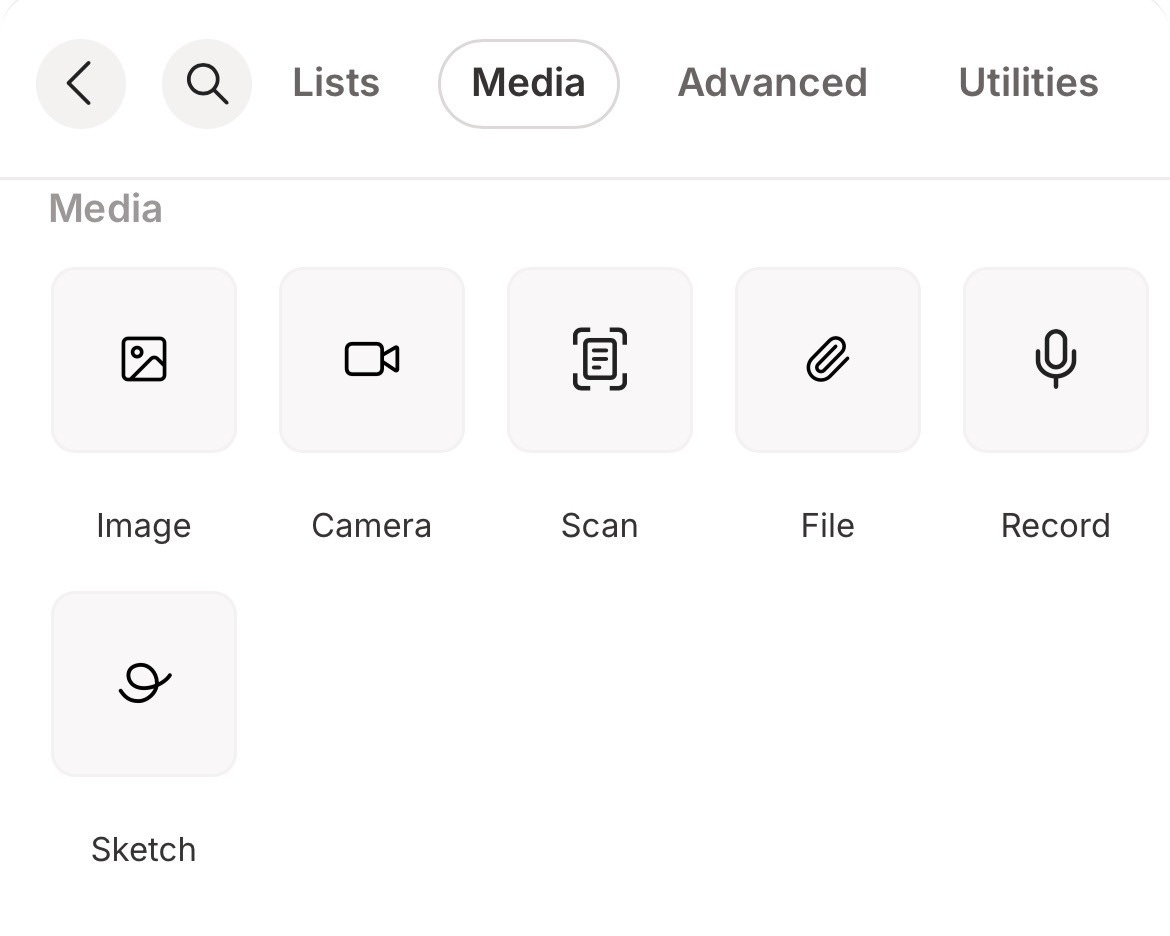
You can also swipe down the list to find what you want.
Another nice touch is the ability to favourite the note items you use the most.
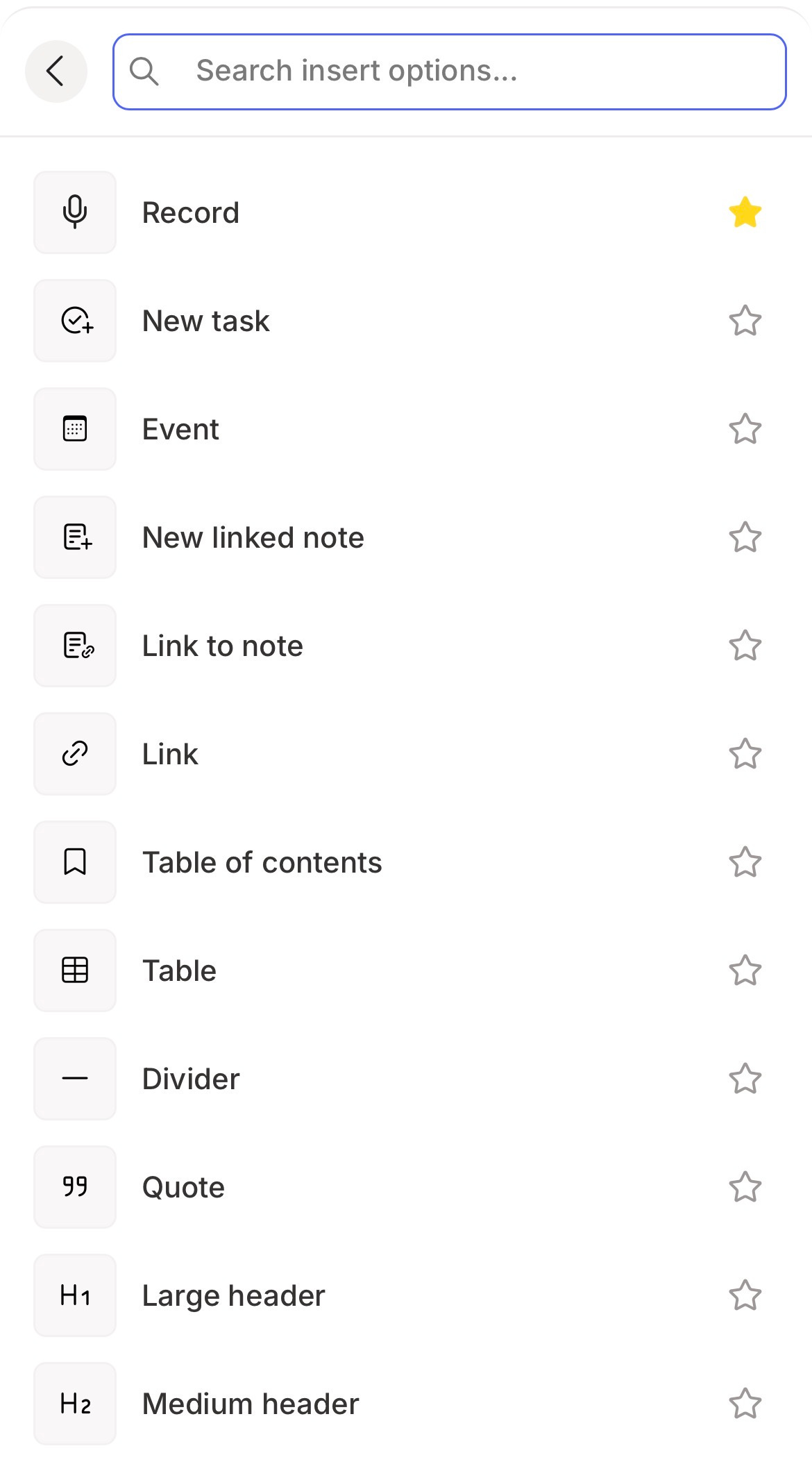
Just tap the search icon, find the item you want, and tap the star next to it.
The next time you tap the insert button, you’ll see the favourite at the top of this list.
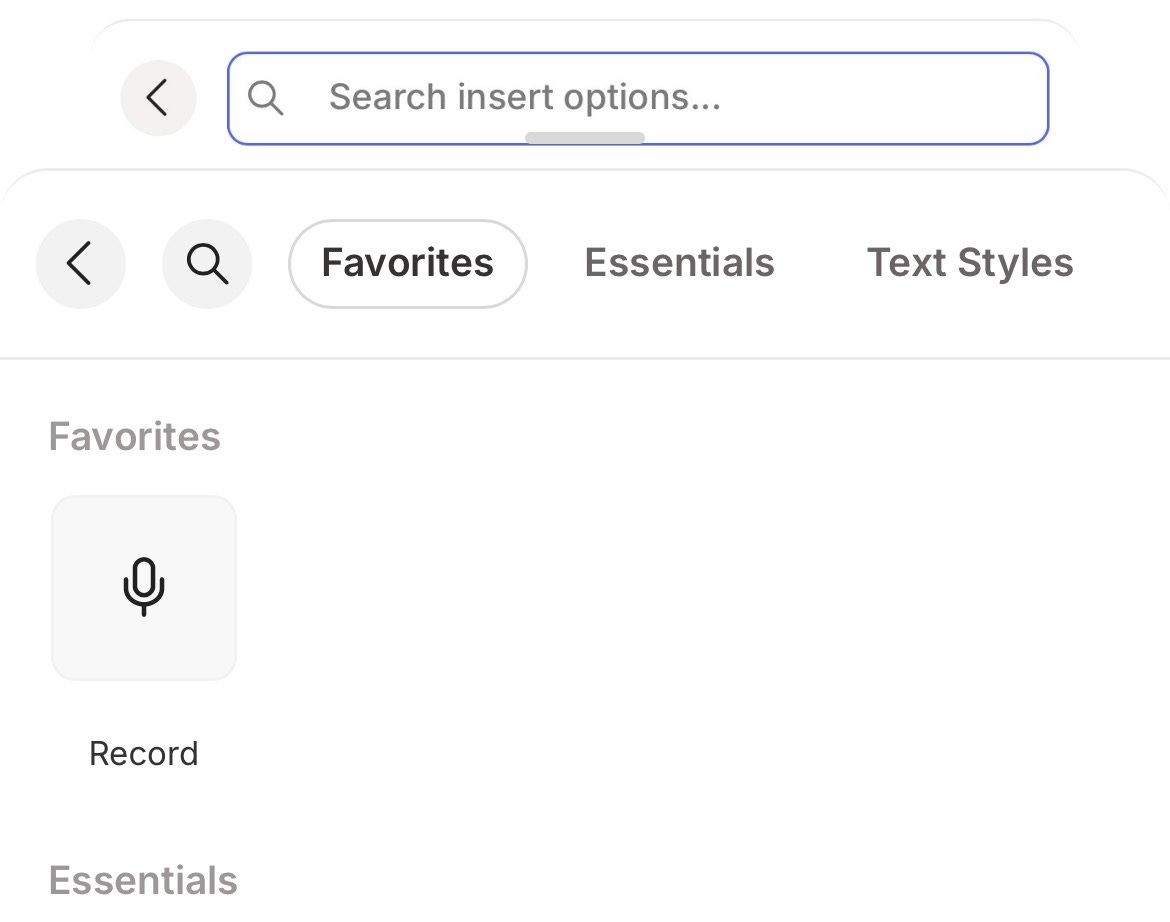
Let me know what you think of this in the comment? Easier to find things?
Transcription remembers speaker recognition setting
Second new thing is when you transcribe some audio the speaker recognition setting will be remembered.

If you change this setting for a transcription, it will be remembered for the next time.
Regenerate transcriptions with or without speakers
Number three is having the ability to regenerate your transcription with or without speaker recognition.

If you click this little person icon, then it will regenerate the transcription with no speakers listed.
The variation of this icon is a person without a strikethrough and this will regenerate the transcription with the speaker.
Change it when you want.
Account menu is at the bottom
Fourth on the list. In the desktop apps the account area with your little avatar is now at the bottom left of the app. Its moved from the top.
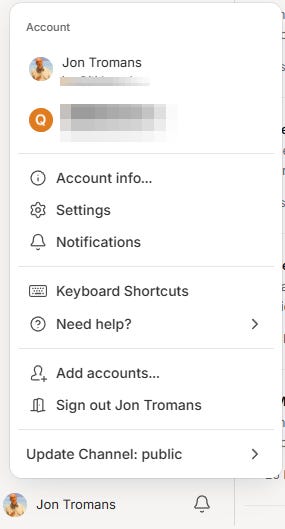
I must admit I didn’t notice this for days, but it’s moved out of the way.
Internal link previews have been improved
Fifth is my favourite. I really like this improvement and it’s made a huge difference for a couple of my workflows.
When you use the preview setting for internal links it now spreads across the screen, offers much more information about the note and includes the thumbnail like this. It also looks great!

When you hover over the new link preview, there’s a copy link icon and the dropdown for all the usual functionality.
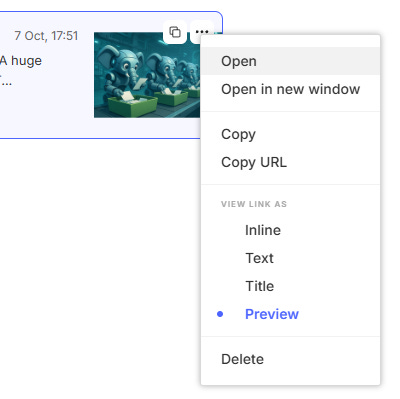
The easiest way to add an internal note link is to use the ‘@’ symbol and then just type the name of the note.
You can also set this preview as default for all internal links in the settings under Preferences -> Notes -> Links and attachments.
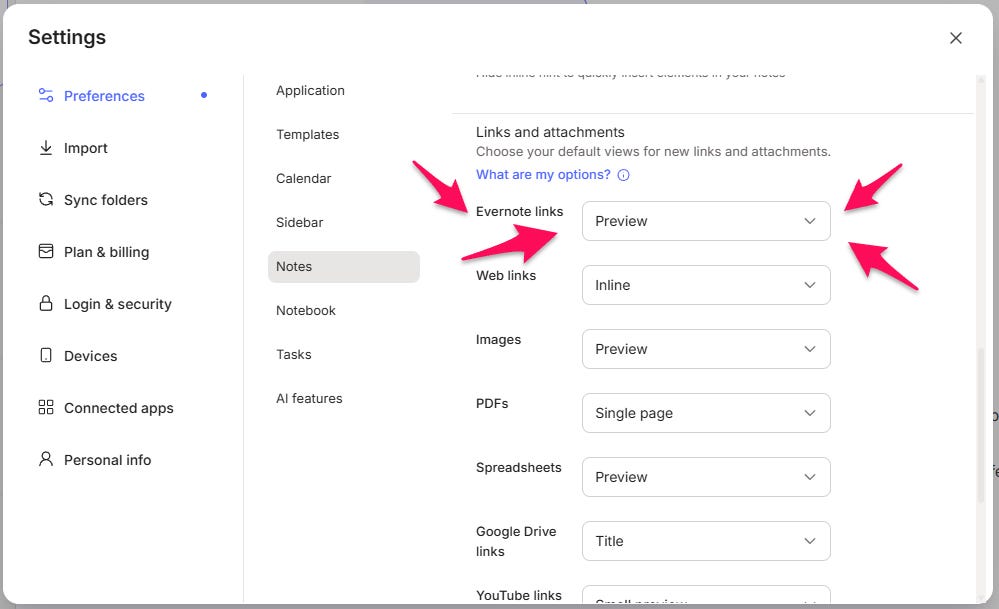
For me, this update is HUGE!
I have a note which is just a list of internal links to all my upcoming training jobs.
Using the preview mode I can see the full title of the note, which includes the date and I can see a snippet of text from the note.
This simple improvement has helped me scan my list of upcoming jobs much quicker than I used to.
Let me know what you think in the comments? Do you use link preview?
Focus mode in Evernote has now got better
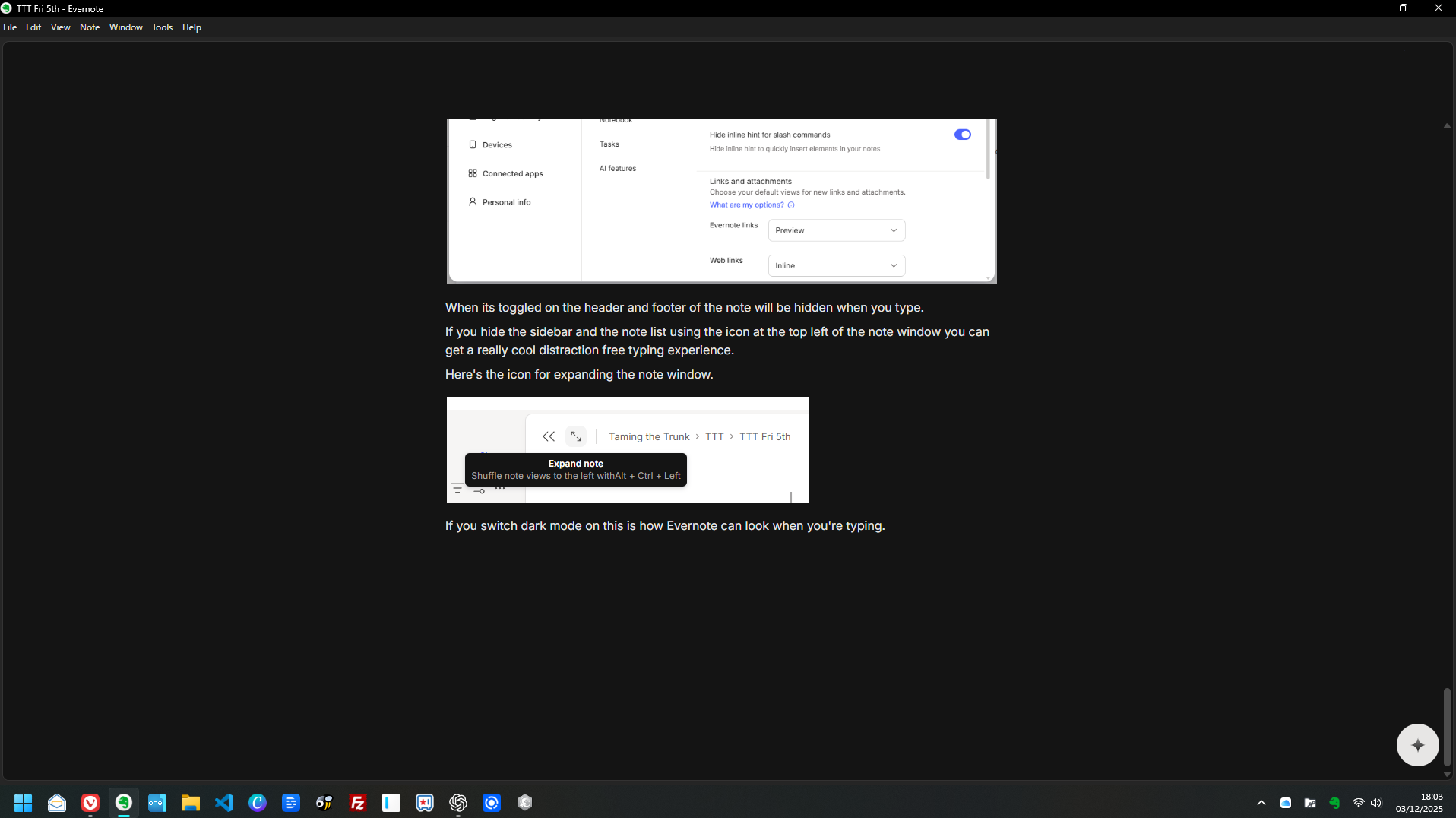
Sixth is my second favourite. We now have a new setting that will hide the header and footer of your note when you are typing.
When you stop typing, it comes back again.
I love this and have it on all the time now.
Head into Settings -> Preferences -> Notes -> Focus and toggle the setting how you want.
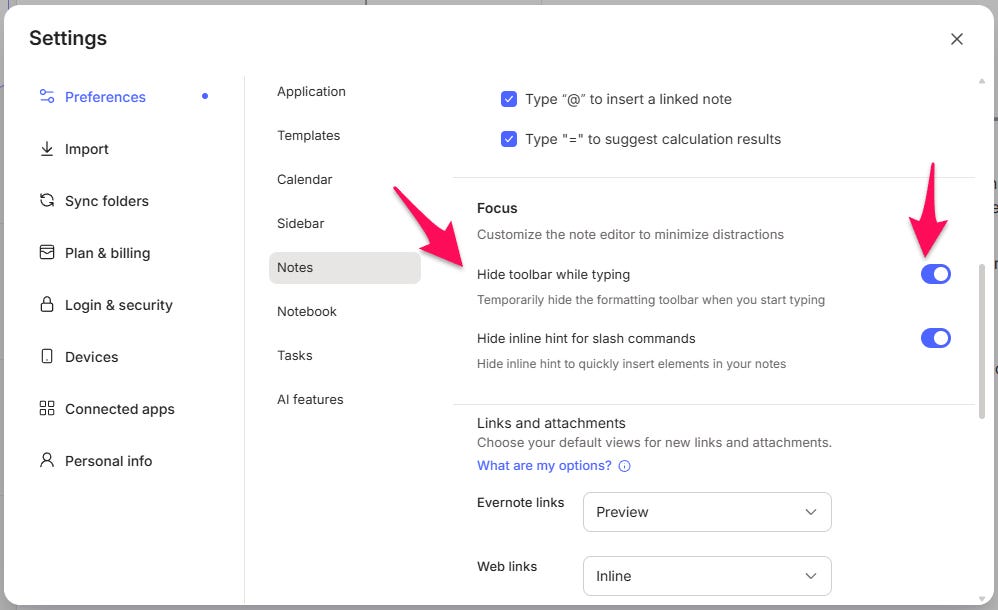
When it’s toggled on the header and footer of the note will be hidden when you type.
If you hide the sidebar and the note list using the icon at the top left of the note window, you can get a really cool distraction-free typing experience.
Here’s the icon for expanding the note window.

If you switch dark mode on this is how Evernote can look when you’re typing.
Have you used this? Let me know what you think in the comments.
Evernote is ISO 27001 certified
The seventh new thing is Evernote have announced on Xitter that they are now ISO 27001 certified.
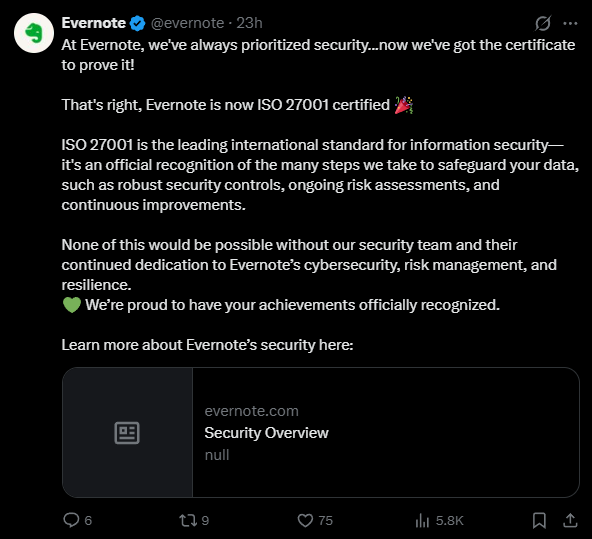
I wasn’t too sure exactly what this was, so I did some research:
ISO/IEC 27001 is an internationally recognized standard for information security management. Developed by the International Organization for Standardization (ISO) together with the International Electrotechnical Commission (IEC), it specifies the requirements for establishing, implementing, maintaining, and continually improving an Information Security Management System
Key aspects of ISO 27001 include:
Risk-Based Framework – The standard prescribes a systematic process to:
Identify information security risks (threats, vulnerabilities, impacts),
Select appropriate controls or risk treatment methods to manage unacceptable risks,
Implement an overarching management system to ensure the controls remain effective over time
I’ve spoken to a couple of IT folk about this and it’s not that easy to comply, it takes a lot of work and a lot of processes being built, so hats off to the team for getting this sorted.
You can read more on the Evernote security overview page here.
Interview with Bending Spoons - Includes Evernote chat
Item number eight is a new Bending Spoons interview that has appears on Xitter.
The CEO of Bending Spoons Luca got together with product lead Federico and communications lead Rebecca to talk about some company philosophies and a fair bit of Evernote chat.
They talk about acquisitions (AOL), pricing policies, being data driven and what lessons they’ve learned over the last couple of years.
There’s a fair bit of Evernote chat.
And finally...
The last item on the list for this week is a new acquisition for Bending Spoons.
If AOL wasn’t enough they are now looking to buy Eventbrite which is an event ticketing application where anyone can set up and sell tickets to an event.
Like Evernote, Eventbrite is an old school app that dates back to 2006 and from reading a few articles they got hit pretty hard during COVID when most in-person events were cancelled.
The price looks to be around $500 million and I would imagine they see a big upside to the business.
It would be interesting to see how this works with one of Bending Spoons other acquisitions Meetup which does similar things to Eventbrite. Will they merge? Will they stay separate?
Read the full press release here.
As always, leave me comments on any of the nine things above. Always interested in what folks think.
Have a great weekend
All the best
Jon
OK... so now I'm torn between the "Preview" and the new "Mention" link feature!
Any news on when version 11 will be released? Christmas is almost here. I hope they don't delay it until next year.